Add parameters to the address of the page with your form to fill it in for the buyer. Start the first parameter with ? and join the rest with &.
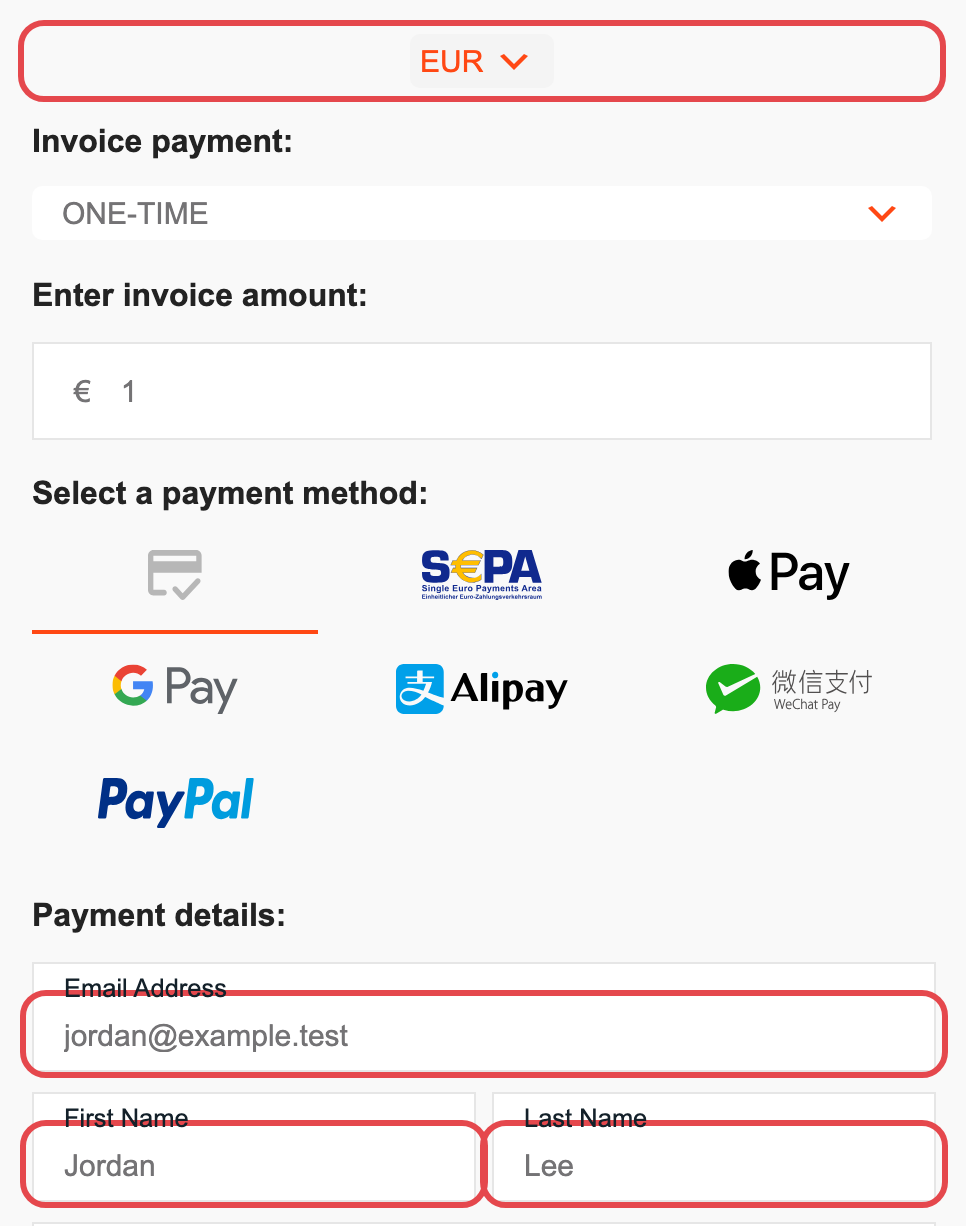
Examples#
A $99 monthly card payment for a plan that already exists on the form:
https://your-site.com/pay/?gateway=stripe&method=ccard¤cy=usd&frequency=m_1&amount=99.00
A €59.99 invoice by SEPA Direct Debit, filling a custom field labeled "Invoice ID":
https://your-site.com/pay/?gateway=stripe&method=sepa¤cy=eur&frequency=one-time&amount=59.99&invoice_id=xyz123
Parameters#
| Parameter | Values | Notes |
|---|---|---|
email_address |
Any email address | |
first_name |
Any text | |
last_name |
Any text | |
currency |
A three-letter code the form uses, for example usd or eur |
|
frequency |
one-time, d_1 (daily), w_1 (weekly), m_1 (monthly), m_3 (quarterly), m_6 (every 6 months), y_1 (annually), y_3 (every 3 years) |
|
amount |
A number, with or without decimals, for example 99.00 |
Selects the price with this amount. With no matching price, fills the custom amount field. |
gateway |
stripe or paypal |
Use together with method. |
method |
Stripe: ccard, ach_direct_debit (Pro), sepa, apple_pay, google_pay, alipay, wechat. PayPal: standard_checkout |
Use together with gateway. The method must be on for the form. |
Match as many parameters as you can to the price you want. If some are missing, the form picks the first price that matches the rest. A value the form doesn't offer, such as a currency it has no price in, is ignored.
Custom fields#
To fill a custom field, use its label in lowercase with underscores for spaces. A field labeled Invoice ID takes invoice_id:
https://your-site.com/pay/?invoice_id=xyz123
Custom field values are saved with the payment and sent to Stripe with it.
Other parameters#
Parameters that don't match anything on the form are kept and sent with the payment's details, for example to your HTTP Request endpoint. Use them to pass a campaign, an order number or a customer ID to your own systems.